
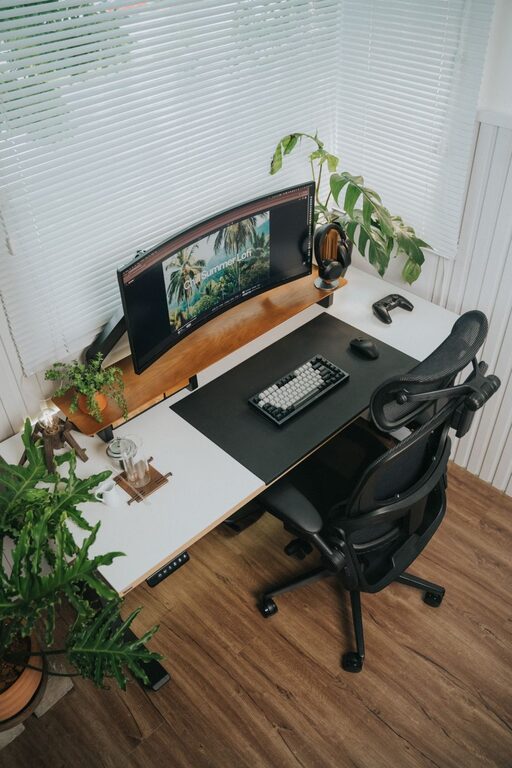
Desk Setup Tips for Focus and Comfort
Creating an efficient and comfortable desk setup can make a big difference in your daily productivity and overall well-being. Whether you work from home, study, or spend long hours at a desk, having a space designed to support focus and comfort is essential. In this post, we’ll explore practical tips on arranging your desk for maximum efficiency and comfort.
Why a Good Desk Setup Matters
Your workspace environment affects how well you concentrate and how comfortable you feel throughout the day. A cluttered or poorly arranged desk can lead to distractions, discomfort, and even physical pain. On the other hand, a well-thought-out setup encourages good posture, reduces fatigue, and helps you stay on task.
Choosing the Right Desk and Chair
Select an Appropriate Desk
Choose a desk that fits your space and suits your work habits. It should have enough surface area for your computer, notebooks, and any tools you use regularly without feeling cramped.
– Height: Standard desk height is about 28-30 inches, but adjustable desks can provide more comfort.
– Shape: L-shaped desks can offer more surface space, while compact desks suit smaller rooms.
– Storage: Look for desks with drawers or shelves to keep supplies organized.
Invest in an Ergonomic Chair
A supportive chair is crucial for comfort and spinal health.
– Adjustability: Opt for a chair with adjustable height, backrest, and armrests.
– Support: Look for good lumbar support to maintain the curve of your lower back.
– Material: Breathable fabric or mesh can keep you cool during long sessions.
Organizing for Focus
Declutter Your Workspace
Clutter can drain your focus and reduce your work efficiency. Keep only essential items on your desk.
– Use organizers for pens, papers, and other small items.
– Store rarely used items in drawers or shelves.
– Keep digital clutter in check by organizing files and closing unnecessary tabs.
Position Your Monitor Correctly
Proper monitor placement reduces eye strain and encourages good posture.
– Place the screen about an arm’s length away.
– The top of the monitor should be at or slightly below eye level.
– Tilt the screen to reduce glare.
Manage Cables
Tangled cables can look messy and distract you.
– Use cable clips or sleeves to keep cords organized.
– Consider wireless devices to reduce cable clutter.
Lighting and Ambiance
Opt for Natural Light
Natural light boosts mood and alertness.
– Position your desk near a window if possible.
– Use sheer curtains to soften harsh sunlight.
Supplement with Task Lighting
Proper lighting prevents eye strain.
– Use a desk lamp with adjustable brightness.
– Choose bulbs with natural daylight tones for clarity.
Ergonomic Accessories to Enhance Comfort
Keyboard and Mouse Placement
Keep your keyboard and mouse close enough to avoid overreaching.
– Your wrists should be straight and relaxed.
– Consider ergonomic keyboards or mouse designs.
Footrests and Wrist Supports
If your feet don’t rest flat on the floor, a footrest can improve circulation.
– Wrist rests can help reduce strain during typing.
Standing Desks and Movement
If possible, alternate between sitting and standing.
– Adjustable desks can help you switch positions.
– Remember to move regularly to avoid stiffness.
Personalize Your Space Without Distractions
Adding personal touches like plants, photos, or artwork can make your workspace inviting without drawing focus away.
– Choose a few meaningful items.
– Avoid excessive decorations that clutter the space.
Maintaining Your Desk Setup
Regularly review and tidy your desk.
– Set aside time weekly to reorganize.
– Ensure your setup still meets your needs as your work changes.
Final Thoughts
A desk setup that balances focus and comfort is key to productive workdays. By choosing the right furniture, organizing your space, managing lighting, and paying attention to ergonomics, you can create an environment that supports both your body and mind. Remember, small changes can lead to big improvements in how you feel and perform at your desk.